Reference
Drive Current
-
Open JP1 and JP2
-
Monitor the [SAWTOOTH] output
-
Adjust P201 for a frequency of
880Hz
1V/OCTAVE Adjustment
-
Install JP2
-
Apply 0.00V to the
[1V/OCTAVE] input
-
Monitor
the frequency of the [SAWTOOTH] output
-
Turn P106 fully clockwise
-
Adjust P105 for an output
frequency of 220Hz
-
Apply 3.00V to the [1V/OCTAVE] input
-
If the frequency is higher than
1800Hz then rotate P106 one full-turn
counter-clockwise. If the frequency is
between 1780Hz and 1800Hz then rotate P106
in quarter-turns clockwise, otherwise
minor clockwise adjustments
-
This is an iterative process. Do
not try setting the upper frequency
immediately to 1760Hz.
-
Repeat steps (4) to (8) until the
settings are 220Hz respectively 1760Hz
PROCESSOR SPAN Adjustment
- Install JP1
- Monitor the [SAWTOOTH] output
- Set
[FREQUENCY] and [FINE] to their centre
positions
- Set the [VC F]
pot to its minimum position
- Apply 1.0V to the [VC F] input
- Adjust P105
for a frequency of 100Hz (if you can't
trim down to 100Hz then use the [FINE]
control to drop the frequency below
100Hz and the use P105 to bring it back
up)
- Set the [VC F] pot to its maximum
position
- Adjust
P103 for a frequency of 400Hz
- Repeat steps
(4) to (8) until the full swing of [VC
F] is as close to 100Hz ↔ 400Hz as
possible
SAWTOOTH Adjustment
-
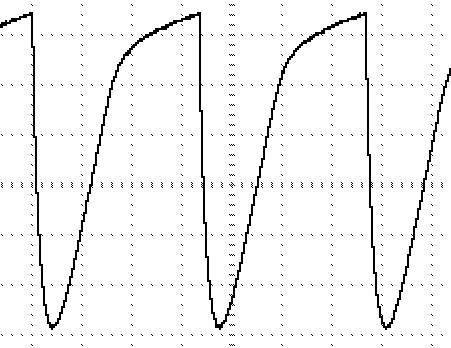
Monitor the [SAWTOOTH] output
-
Adjust P301 until the waveform
is centred around 0V
WAVESHAPE Adjustment
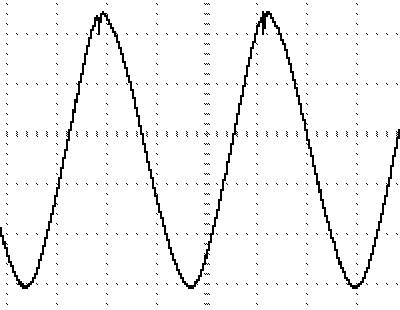
P401 should be adjusted so that the
[VARIABLE] output varies between a ‘sine’ and
a ‘sawtooth’ wave as the [SHAPE] control is
adjusted.
A simpler alternative is to adjust
this trimmer until the best symmetry between
the peak and the trough is achieved at the
[SINE] output (J402).
Don't expect a perfect waveform - it
will most likely have a substantial glitch in
it at its best setting.
Remember - this sine output is simply
there to make use of a spare part of the
LM3900 - it is not a key feature of the
design.
STEPS Adjustment
-
Monitor the [SAWTOOTH] output
-
Adjust [FREQUENCY] and [FINE] for
a frequency of 110Hz
-
Set P501 fully clockwise and P502
to fully counter-clockwise positions
-
Monitor the [STAIRCASE] output
-
Adjust P501 until the output is
just over 5V peak (NB: this is the [STEPS] control
on the full version)
-
Adjust P502 until the frequency
drops down to just below 15Hz
Remember this will not follow the
oscillator over its entire range.
Again, it is simply there to make use of a
spare part of the LM3900 - it is not a key
feature of the design.
BASE Frequency Adjustment
This adjustments sets the range of
output control with the [FREQUENCY] and [FINE]
controls, with no CV inputs and allows
multiple VCO's to have the same basic
[FREQUENCY]/[FINE] settings.
The adjustment below will set the
range from 125Hz to over 10kHz with [FINE]
between mid-position and fully clockwise and
from ~125Hz down to ~0.33Hz (1 cycle per 3
seconds) with [FINE] between mid-position and
fully anti-clockwise.
-
Set [FREQUENCY] to its minimum
position
-
Set [FINE] to its
maximum-position
-
Apply 0VDC to the [1V/OCTAVE]
input
-
Monitor the [SAWTOOTH] output
-
Adjust P105 for an output
frequency of 125Hz